BimlStudio Tutorial Generating a Simple Package
BIML, which stands for Business Intelligence Markup Language, offers us a solution. With BIML you can easily generate SSIS packages based on metadata, allowing us to effectively apply code reuse, templates and patterns in our ETL solutions.
This practice will show how to generate a simple package using BimlStudio.
Before we start to practice, you need to create a new source database(AdventureWorksLT2014) in the source server (VODW...) and create a new target database(AdventureWorksLTDataMartDexin) in the target server (vosql...).
As shown in the figure, we haven't created a target schema and target table yet. So we need to build them first.
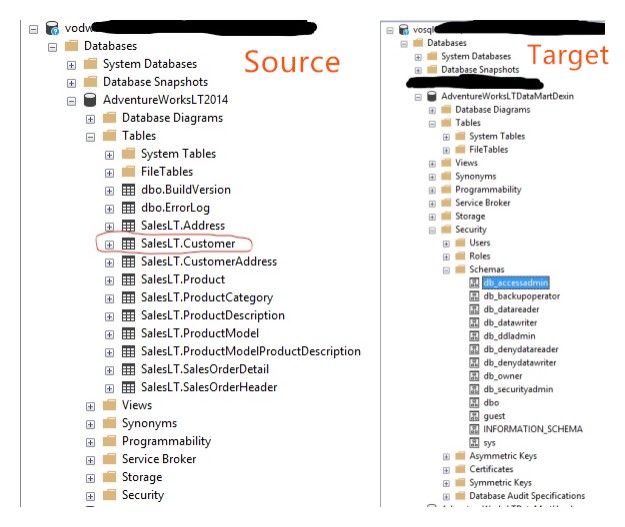
Let's start! we are going to extract SalesLT.Customer table from the source database into our target database.
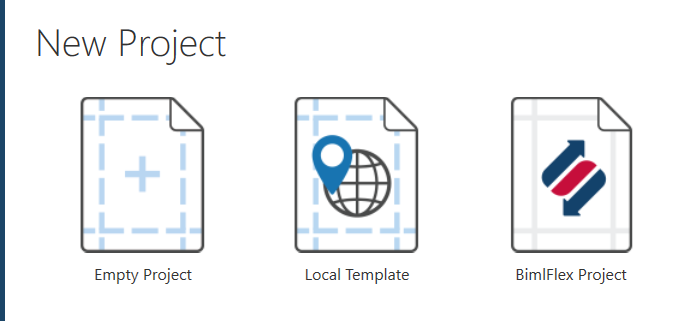
1. Create a new project in BimlStuido.

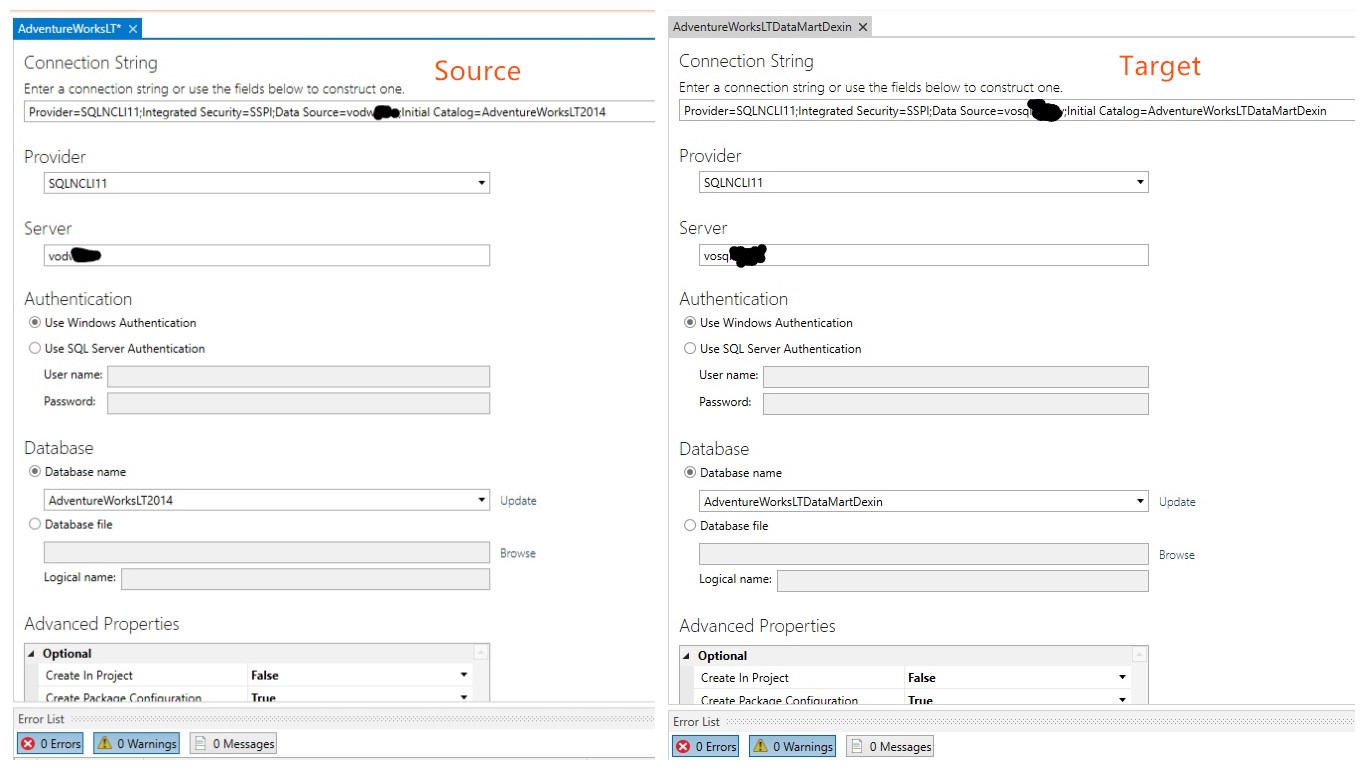
2. Get the source connection and target connection.
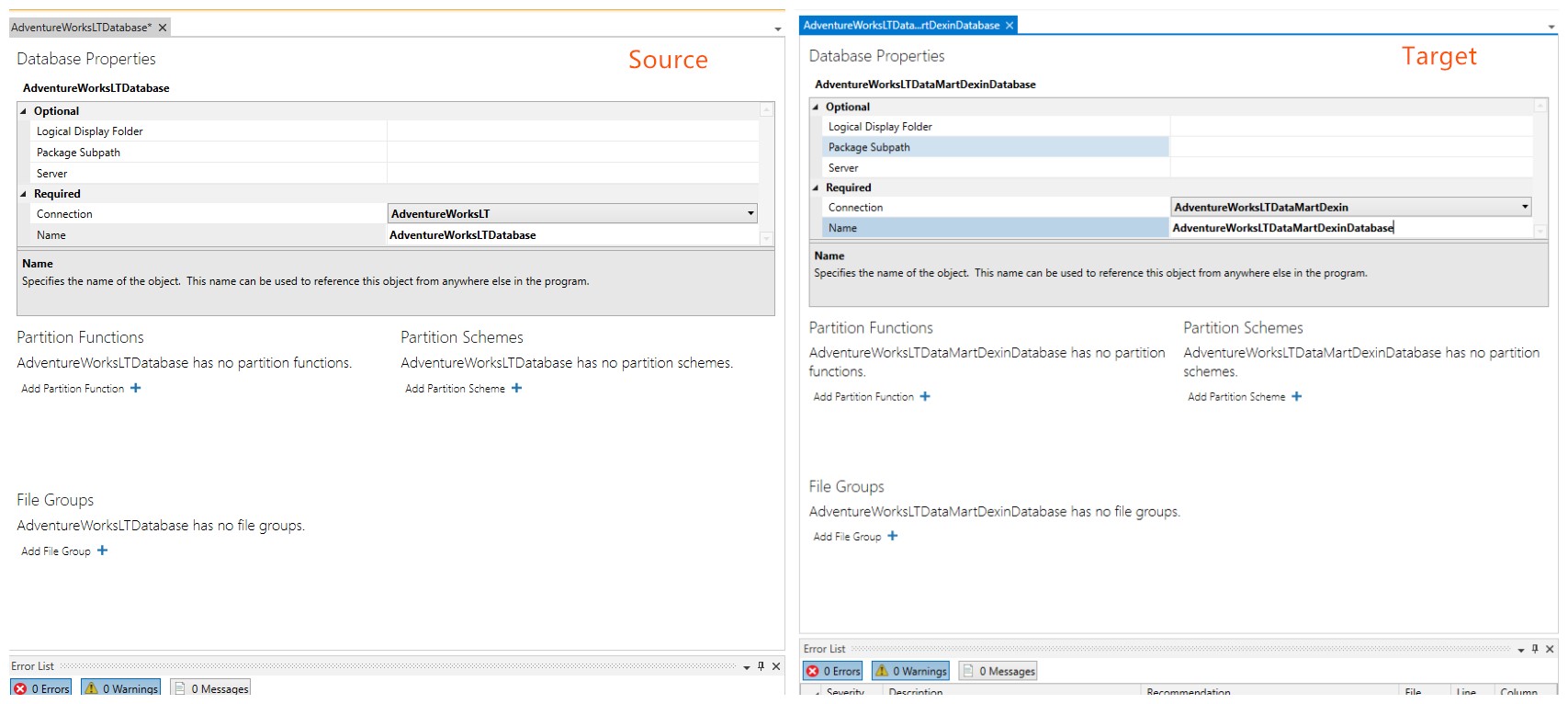
3. Get the source database and target database.
4. Get the source schema and target schema.

5. Import source table in BimlStudio.
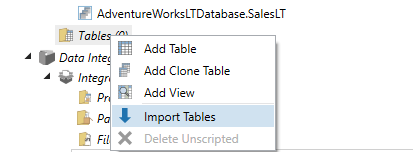
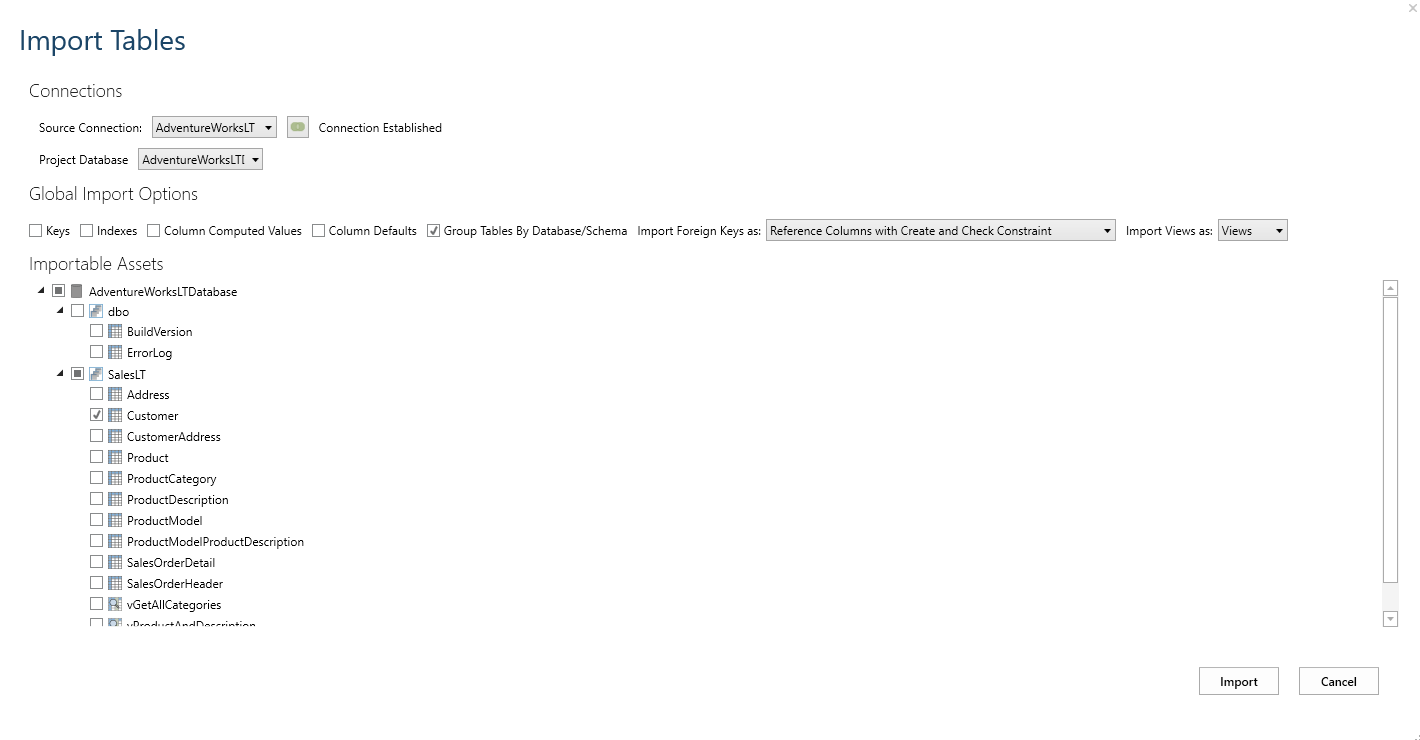
6. Create the target table which is the same as the source table. Right click source table and view Biml, you don't need to build a new table by creating each column, just simply copy and paste the script from the source table into the target table.
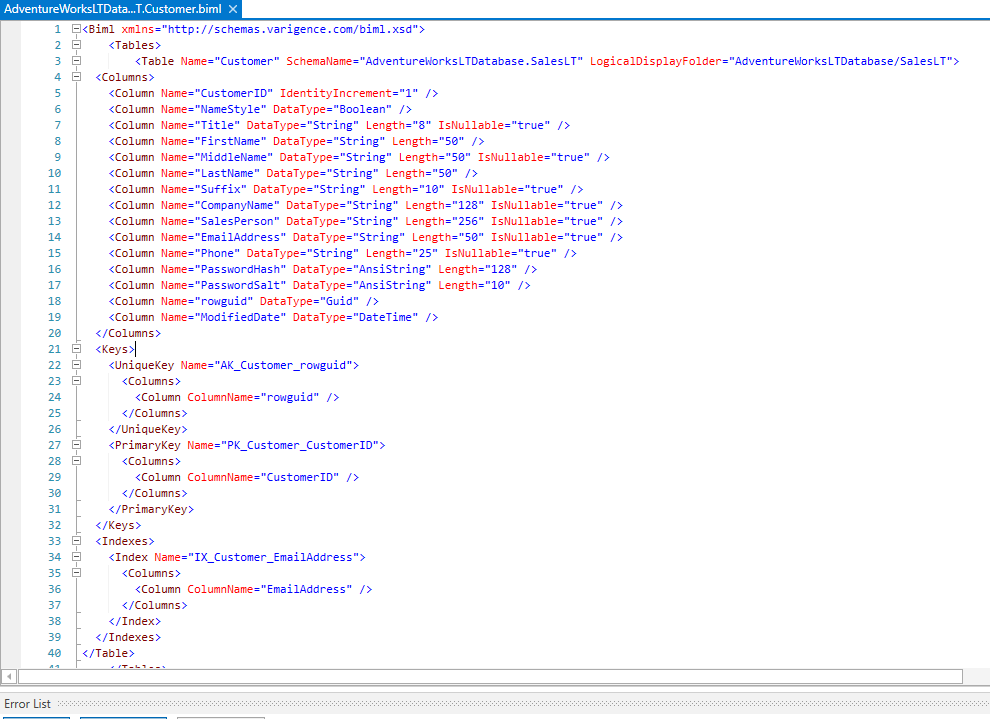
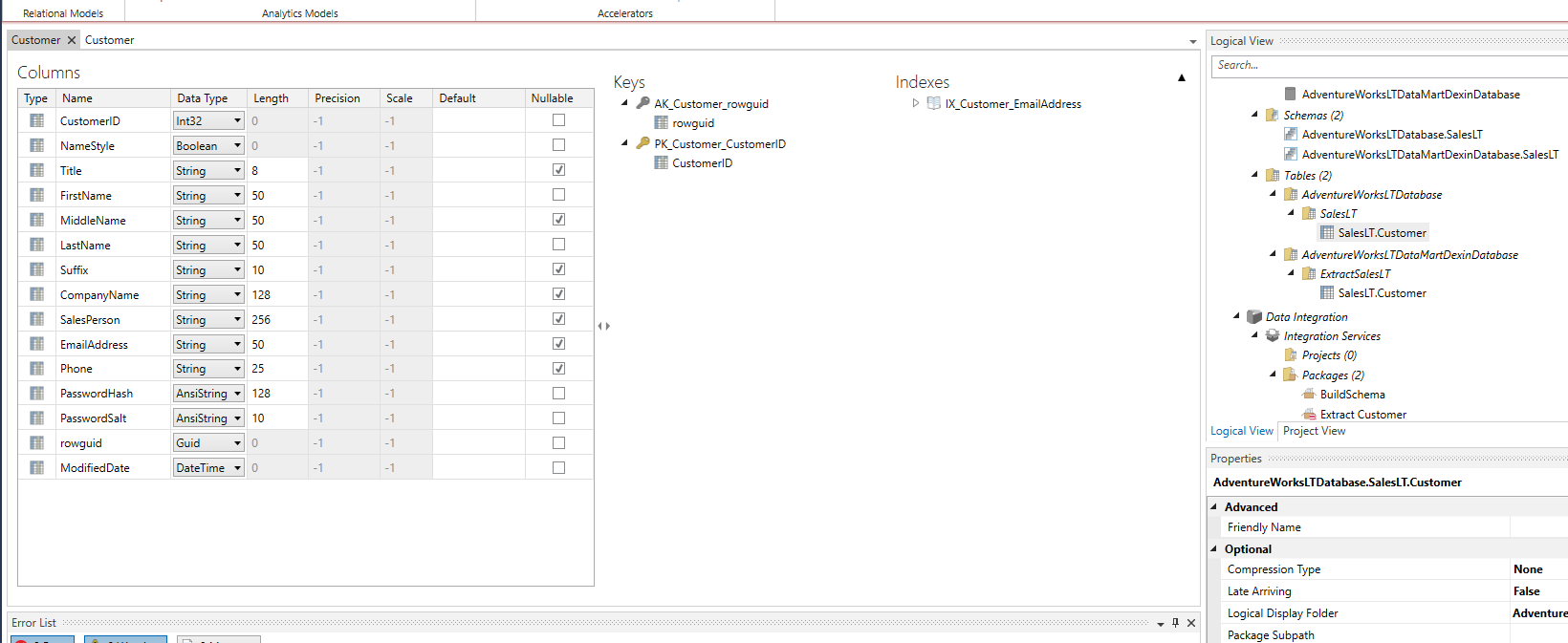
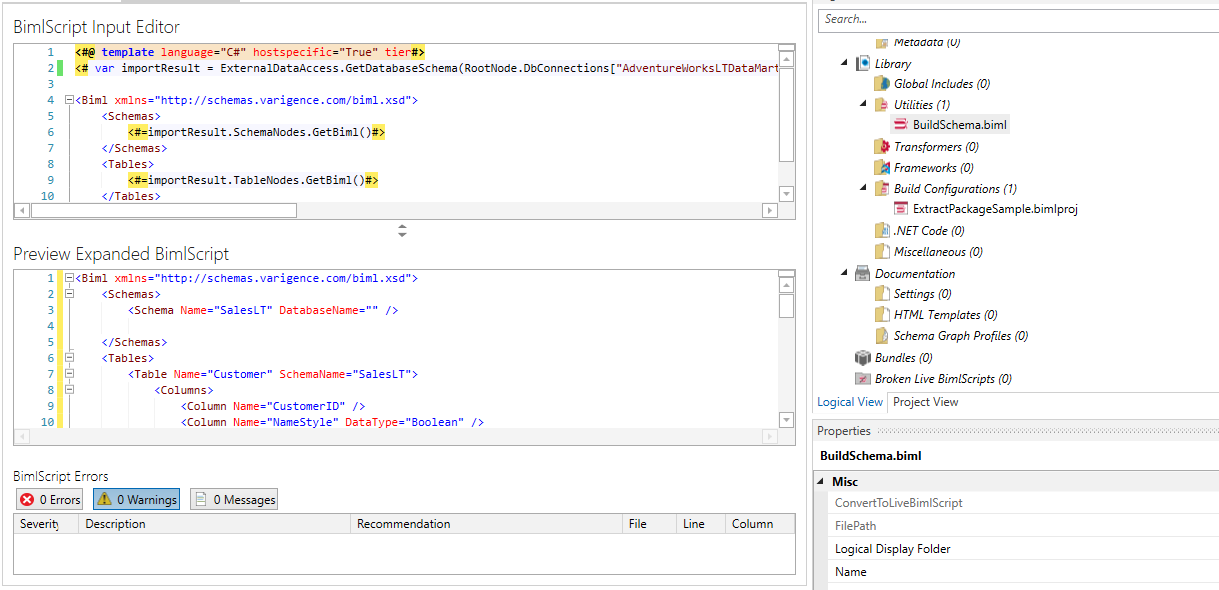
7. For importing assets from the AdventureWorksLT database, you should write a BimlScript into the BimlScript Input Editor pane.
8. Create a package to build a schema and table in the target database.
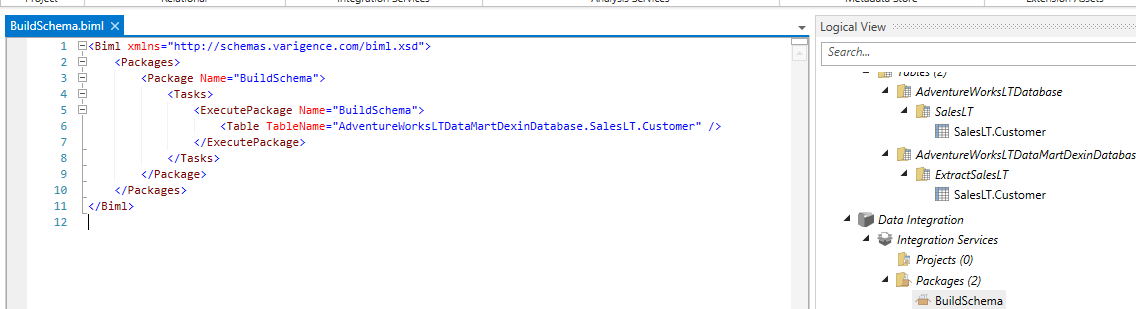
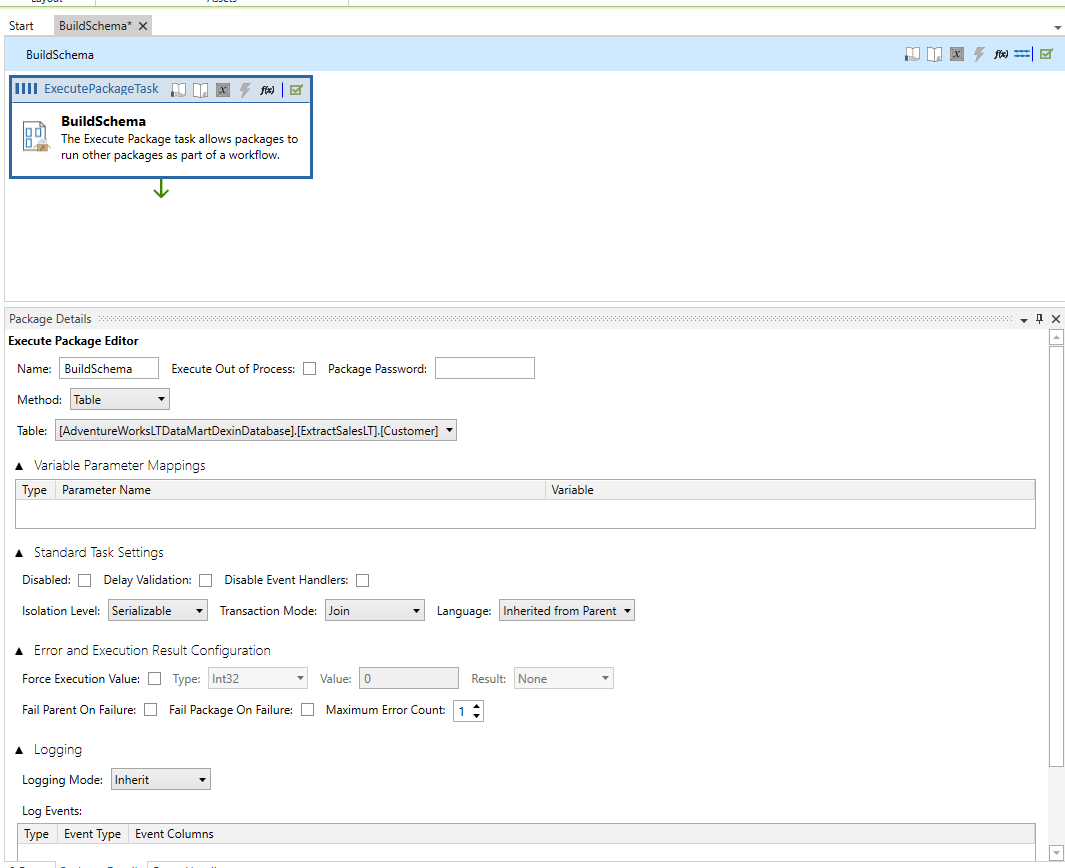
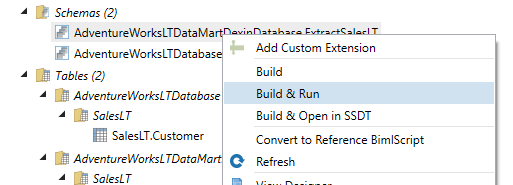
9. Run & build the package and schema to deploy schema and table in the target database.
10. Check the target schema and table.
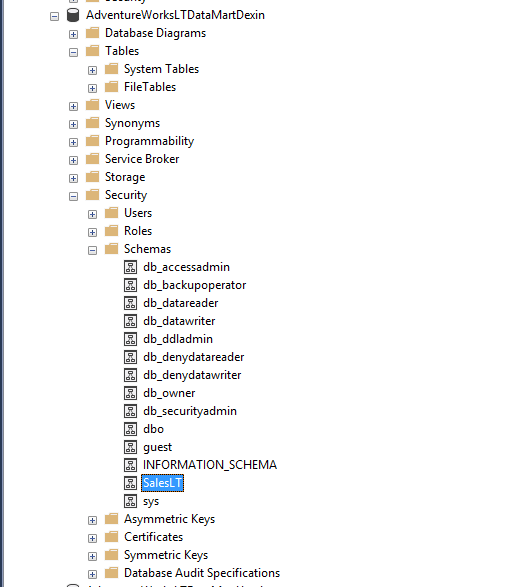
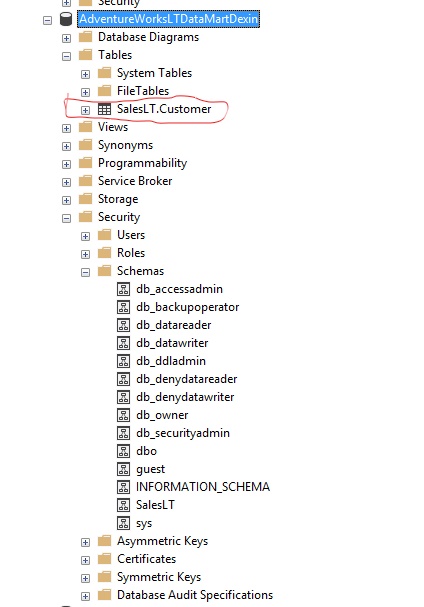
11. Create an extract package to load the table from Source database to target database.
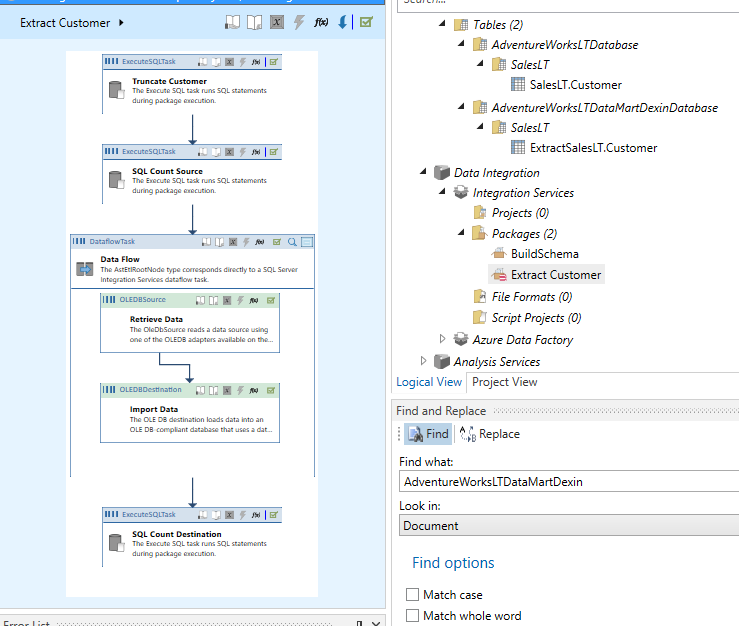
Biml Script:
<#@ template language ="C#" #> <!--VB.Net or C#-->
<#@ import namespace="System.Data" #> <!--Imported namespaces to give us access to some BIML Script
methods-->
<#@ import namespace="Varigence.Biml.CoreLowerer.SchemaManagement" #>

<Biml xmlns="http://schemas.varigence.com/biml.xsd">

  <Connections>

    <Connection Name="AdventureWorksLTDataMartDexin" ConnectionString="Data Source= Your Target
      Server;Initial Catalog=AdventureWorksLTDataMartDexin;Provider=SQLNCLI11.1;Persist Security
      Info=True;Auto Translate=False; Integrated Security=SSPI" />

    <Connection Name="AdventureWorksLT" ConnectionString="Data Source= Your Source Server;Initial
      Catalog=AdventureWorksLT2014;Provider=SQLNCLI11.1;Persist Security Info=True;Auto Translate=False;
      Integrated Security=SSPI" />

  </Connections>

  <Packages>

    <#
//Now we are in C#!

string MyConnectionString ="Provider=SQLNCLI11;Data Source= Your Source Server;Integrated
Security=SSPI;Initial Catalog=AdventureWorksLT2014" ;

//string DestinationTableName;

 string TableSchema;

string SourceTableName;

DataTable MyDataTable;

//Populate Data Table with list of tables

MyDataTable = ExternalDataAccess.GetDataTable(MyConnectionString,"SELECT t.TABLE_CATALOG,
t.TABLE_SCHEMA,t.TABLE_NAME FROM INFORMATION_SCHEMA.TABLES t WHERE t.TABLE_SCHEMA like
'%SalesLT'and t.TABLE_NAME like 'Customer' ");

/*Loop over each target table row in MyDataTable */

    foreach(DataRow row in MyDataTable.Rows){

    TableSchema = row["TABLE_SCHEMA"].ToString();

    SourceTableName = row["TABLE_NAME"].ToString();

#>

    <Package Name="Extract <#=SourceTableName#>" ConstraintMode="Linear"
      ProtectionLevel="EncryptSensitiveWithUserKey"> <!--ConstraintMode connects the tasks in order-->

      <Tasks>

        <ExecuteSQL Name="Truncate <#=SourceTableName#>"
          ConnectionName="AdventureWorksLTDataMartDexin">

          <DirectInput>

TRUNCATE TABLE <#=TableSchema#>.<#=SourceTableName#>

          </DirectInput>

        </ExecuteSQL>

        <ExecuteSQL Name="SQL Count Source" ConnectionName="AdventureWorksLT">

          <DirectInput>

SELECT COUNT(*) CountSource FROM <#=TableSchema#>.<#=SourceTableName#>

          </DirectInput>

        </ExecuteSQL>

        <Dataflow Name="Data Flow">
          <Transformations>
            <OleDbSource Name="Retrieve Data" ConnectionName="AdventureWorksLT">
              <DirectInput>SELECT * FROM <#=TableSchema#>.<#=SourceTableName#></DirectInput>
            </OleDbSource>
            <OleDbDestination Name="Import Data"
              ConnectionName="AdventureWorksLTDataMartDexin">
              <ExternalTableOutput Table="<#=TableSchema#>.<#=SourceTableName#>"/>
            </OleDbDestination>
          </Transformations>
        </Dataflow>

        <ExecuteSQL Name="SQL Count Destination" ConnectionName="AdventureWorksLTDataMartDexin">

          <DirectInput>

SELECT COUNT(*) CountDestinationPost FROM <#=TableSchema#>.<#=SourceTableName#>

          </DirectInput>

        </ExecuteSQL>

      </Tasks>

    </Package>

    <#}#> <!--End for each MyDataTable loop-->

  </Packages>

</Biml>
12. Run & build extract package to load the data from the source table into the target table.
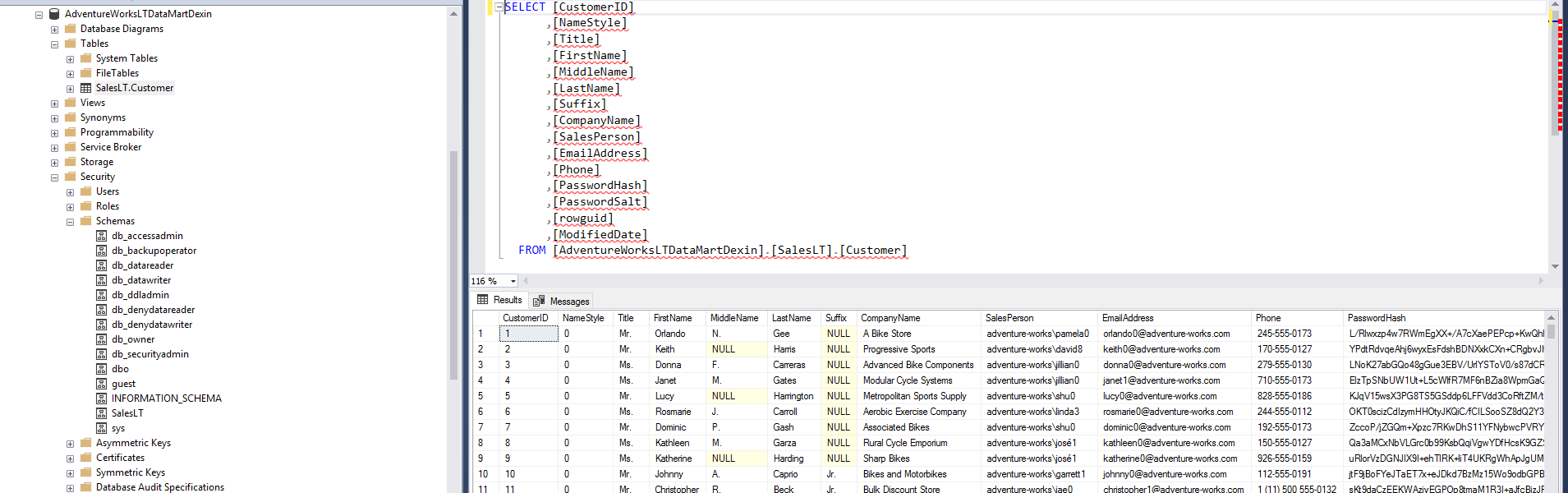
Then the data will show up in the target table.
Reference:
Varigence Website, "Adventure Works LT Walkthrough", Retrieved from https://docs.varigence.com/bimlstudio/adventureworks-lt-walkthrough/