
Install BimlExpress
Download BimlExpress
Download the latest .vsix file from varigence.com/bimlexpress.
Installing
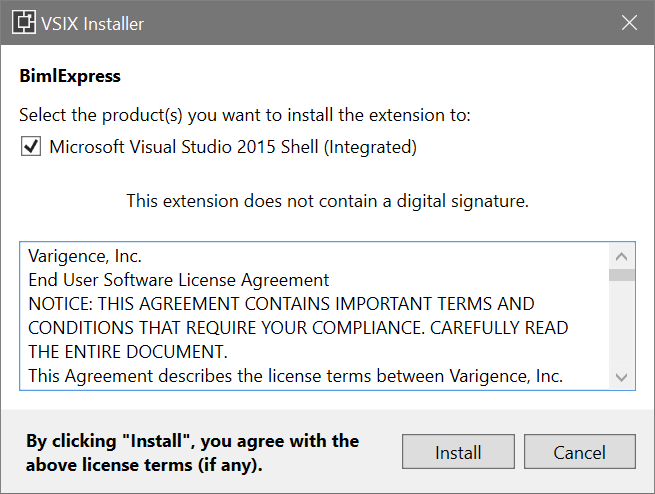
Select which version of Visual Studio you want to install and click Install:


Script Tasks and Script Components
To build a package that contains a Script Task or a Script Component, the computer that runs the build needs the .NET Framework 4.8 runtime, or a .NET Framework targeting pack for the script's framework version, and the SQL Server Integration Services assemblies of the SQL Server version you target, matching the bitness of the build. BimlExpress reads them in place and redistributes nothing of Microsoft's.
Any one of these Microsoft installs places the Integration Services assemblies. Install a release that covers the SQL Server version you target:
- SQL Server setup with the Integration Services and Client Tools SDK features
- The SQL Server Integration Services Projects extension for Visual Studio
- SQL Server Data Tools, whose page routes each Visual Studio version
When an assembly is missing, the build reports one error against the task or component. The error begins with the words Script Task and Script Component compilation, names the missing assembly and the installs above with their links, and ends with the choice to remove the Script Tasks and Script Components from the project. Install what is missing and build again.
Product Key
Once you have installed BimlExpress, you need to enter your product key. Read more about why you need a product key on the Creating BimlExpress Account page.